Short answer: most IPTV buffering comes from the home network, not the service. Restart your router and device, check that the TV itself gets at least 10 Mbps for HD (25 Mbps for 4K), and connect it with an Ethernet cable or 5 GHz Wi-Fi. If one channel still freezes while others play fine, tell us its name and the time so we can check the stream.
Buffering is when the picture stops, a spinning circle appears, and the stream starts again a few seconds later. It's frustrating, especially during a live game. The good news: in most homes it can be fixed in a few minutes, without buying anything.
Why does IPTV buffer?
Your TV app keeps a few seconds of video in reserve, called the buffer. As long as video arrives faster than you watch it, the picture is smooth. When your connection slows down, even for a moment, the reserve runs out and the picture stops while it refills. That's why buffering often happens in the evening, when everyone in the house and the neighbourhood is online.
The speed in your internet plan is the speed that reaches your router. What matters is the speed that reaches the TV, after walls, floors and the other devices in your home have taken their share.
8 fixes, in the right order
1. Restart everything
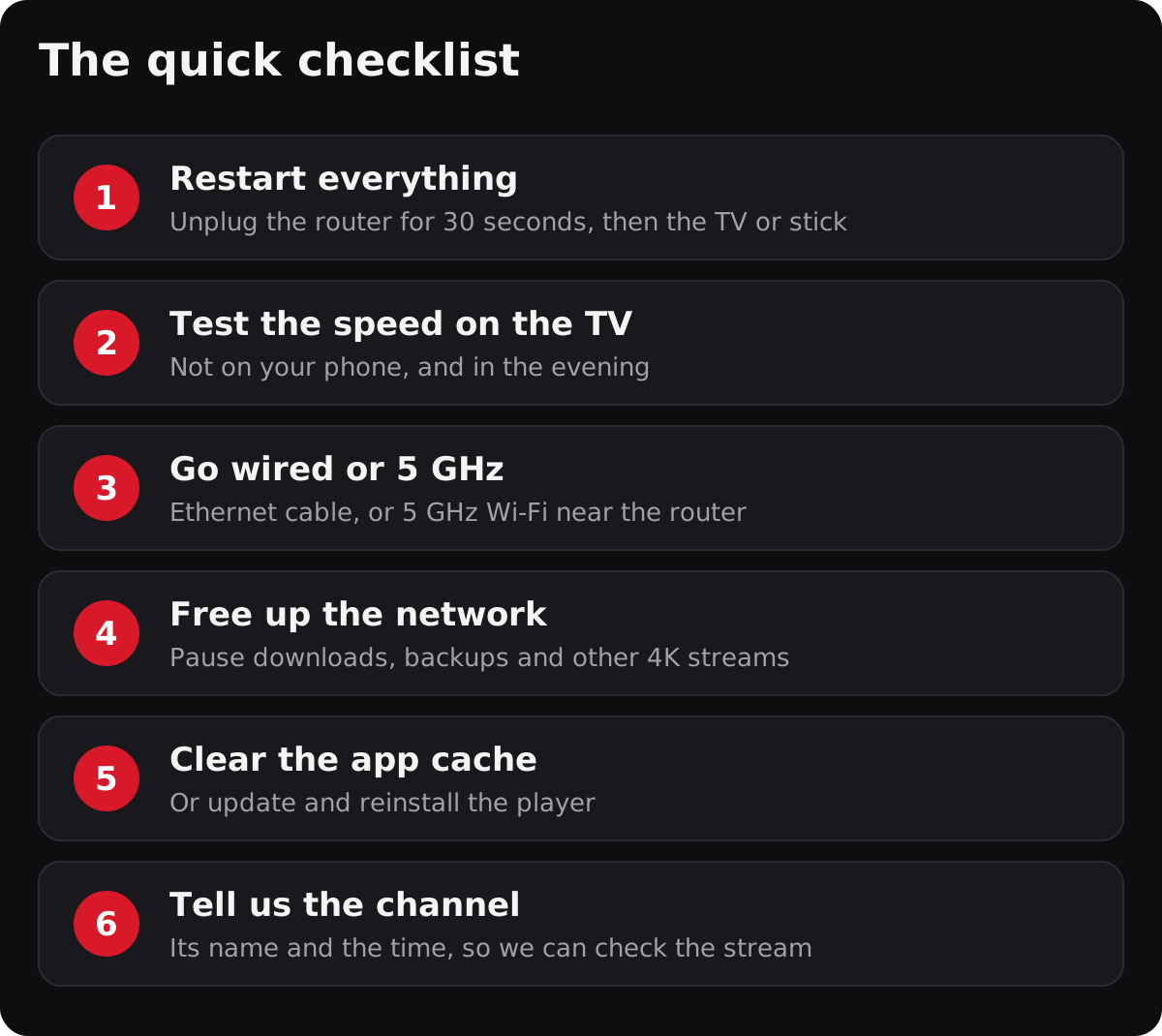
Unplug your router (and modem, if separate) for 30 seconds, plug it back in and wait two minutes. Then restart your TV, stick or box completely: on a Fire TV, go to Settings › My Fire TV › Restart. This clears memory problems and gives your device a fresh connection.
2. Test the speed on the TV itself
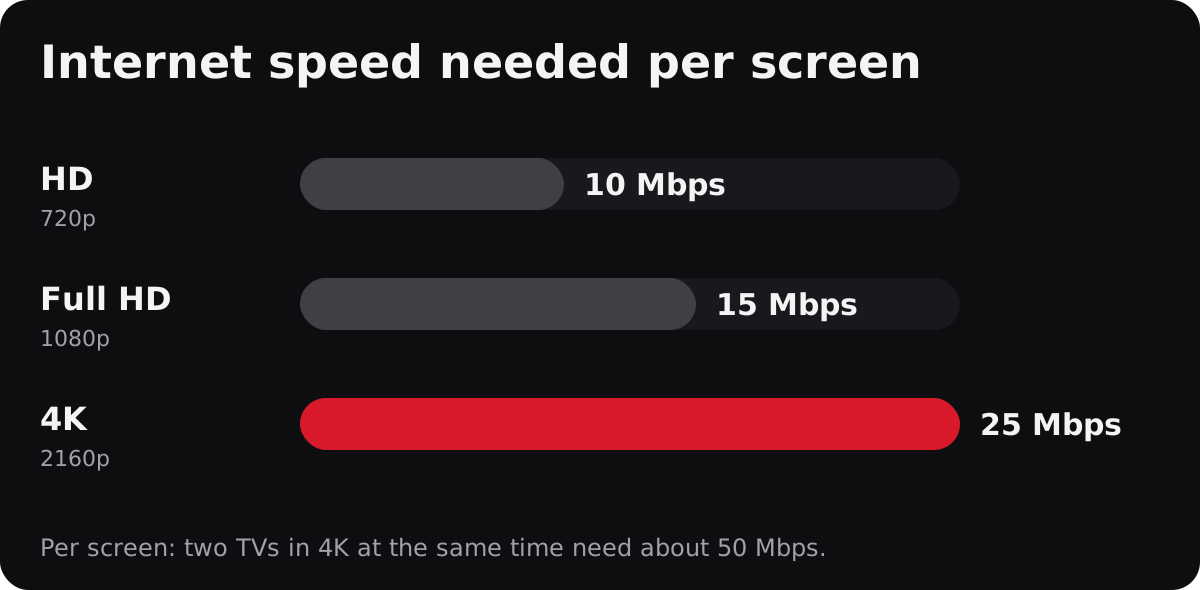
Run a speed test on the device you watch on, not on your phone next to the router. On Fire TV and Android TV, free apps such as Speedtest by Ookla or Fast.com work well. Test in the evening, when buffering happens. Compare the result with the chart above.
3. Use an Ethernet cable or 5 GHz Wi-Fi
This is the fix that helps most often. A cable gives a steady speed that walls and neighbours can't affect. A Fire TV Stick has no Ethernet port, but Amazon sells an official adapter that plugs into its power cable.
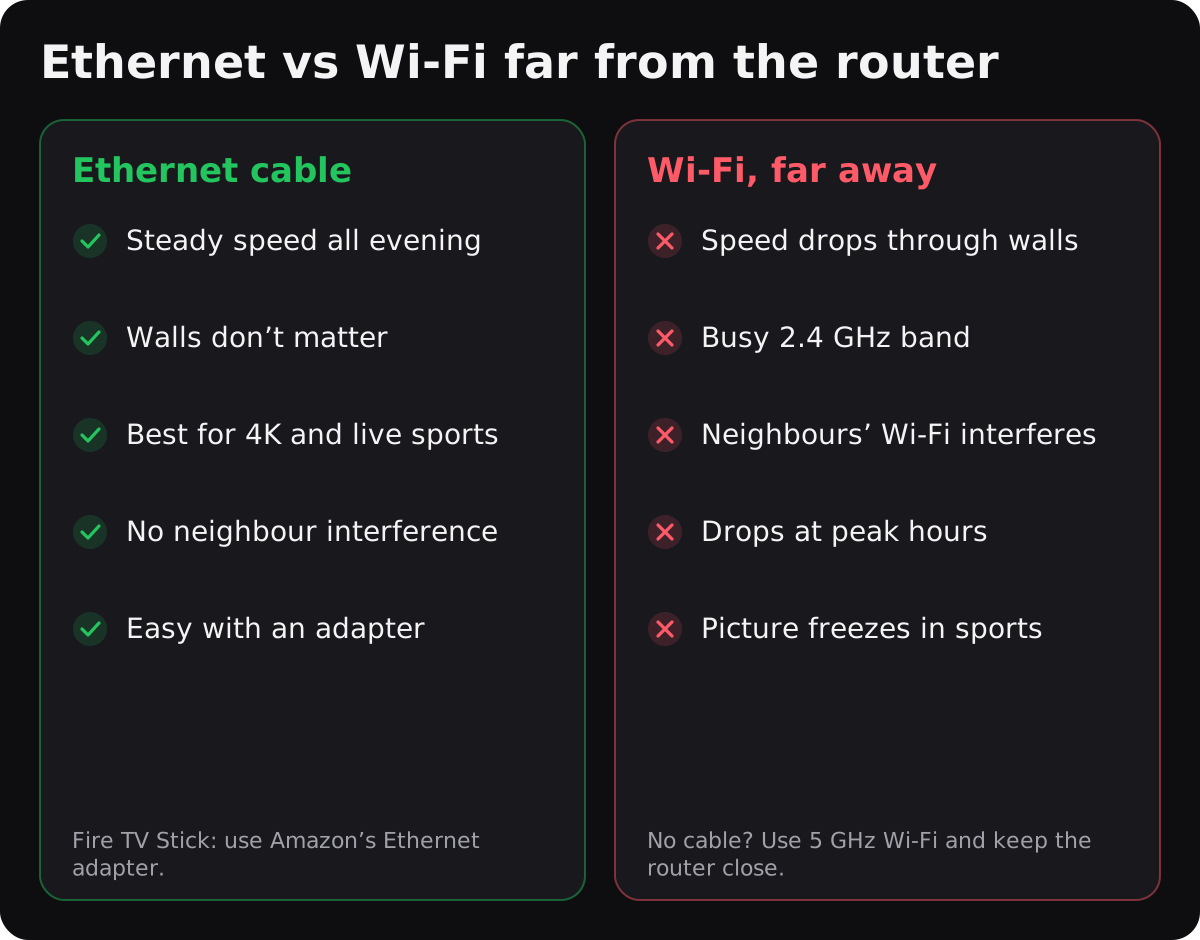
If you stay on Wi-Fi, connect the TV to the 5 GHz network (often named with “5G” at the end), not 2.4 GHz. 5 GHz is faster and less crowded, but it doesn't go through walls as well.
4. Move the router or add a mesh point
A router hidden in a cabinet, a basement or behind the TV loses a lot of signal. Put it in the open, high up and as central as possible. In a large house or a split-level, a mesh Wi-Fi system or a mesh point near the TV is often the best investment.
5. Free up your network
Large downloads, game updates, cloud backups and other 4K streams all share the same connection. Pause them during the game, or check that your plan has enough speed for every screen watching at the same time.
6. Clear the app cache or reinstall the player
On Fire TV and Android TV, go to Settings › Applications › Manage installed applications, choose the player, then Clear cache. If the problem continues, update or reinstall the app; your login details stay in your welcome email.
7. Turn off your VPN
A VPN sends all your traffic through another server, which adds distance and often lowers speed. IPTVB doesn't need a VPN. If you use one, turn it off and test again.
8. Tell us which channel
If every channel plays well except one, the problem is probably on our side, not yours. Message us on WhatsApp with the channel name, the time and your device, and we'll check that stream. Our support is available 24/7 and usually replies within 15 minutes.
Still buffering?
Check whether your internet provider has an outage in your area, and try another channel or a movie to see whether the problem is everywhere. If your connection is simply too slow for HD, choose SD quality in the player when available, or upgrade your internet plan. Setting up a new device? Our Fire TV Stick guide and setup guides help you start on the right foot.
Frequently asked questions
What internet speed do I need for IPTV?
At least 10 Mbps for HD, 15 Mbps for Full HD and 25 Mbps for 4K, per screen watching at the same time.
Why does IPTV buffer only in the evening?
Evening is peak time: more people in your home and your neighbourhood are online, so the speed that reaches your TV drops. A wired connection and a good router help the most.
Does a VPN stop IPTV buffering?
Usually not. A VPN adds distance and often lowers your speed. IPTVB works without a VPN.
Is Ethernet better than Wi-Fi for IPTV?
Yes. A cable gives a steadier speed than Wi-Fi, especially for 4K and live sports. If a cable isn't possible, use 5 GHz Wi-Fi close to the router.
Only one channel buffers. What should I do?
Send us the channel name, the time and your device on WhatsApp or by email. If other channels play well, the problem is likely on our side and we'll check it.
Want to test on your own internet first? Try IPTVB free for one month, no credit card needed.